


Psiphon VPN: Freedom Online
4.632.78K Reviews
App Specs
- Version
- 474
- Updated On
- License
- Free
- Downloads
- 100,000,000+
- Developer
- Psiphon Inc.
- Categories
- Communication
- Platform
- Android, iOS
Screenshots

 Analysis by AppCompare
When I think about Psiphon, I think less about an all-purpose privacy suite and more about a practical way to reach the open web when a connection is getting in the way. That distinction matters: a proxy-style connection can be useful for access, but I wouldn’t treat any VPN as a magic shield for every online risk. I’d use Psiphon VPN: Freedom Online with a clear goal in mind, then check that the sites and apps I need actually work through it.
A simple tool for a specific job
Psiphon VPN is a free communication app from Psiphon Inc. Its familiar connect-first approach suits someone who wants to try a VPN without spending time choosing technical settings. The app has been available since November 2, 2015, and its current version is 451. That gives users a concrete sense of its long-running presence and current release, though a version number alone doesn’t tell me what changed between releases or promise what may come next.
Its reach is substantial: it has more than 100 million installs, with an average rating of 4.6 from around 977,000 ratings and about 33,000 written reviews. Those figures suggest that many people have tried it, but popularity isn’t a guarantee that it fits every network, device, or privacy need. I’d judge it by whether it reliably serves my own use case.
Guides and Analysis on Psiphon VPN: Freedom Online
Where I’d find it useful
The strongest reason to try Psiphon is access. If a site is unavailable on the network I’m using, a connection through the app may offer another route. That can be relevant on a restrictive workplace or school network, or when I’m travelling and discover that a page I normally use won’t load. Whether it works depends on the network and destination, so I wouldn’t plan an important task around a successful connection without testing it first.
A realistic routine would be to connect before opening the site I need, check whether its main pages load, and then decide whether the connection is good enough for the task. If a page keeps failing, I’d try disconnecting and reconnecting once rather than repeatedly refreshing it. That simple check can help distinguish an app connection problem from a problem with the site itself.
For light browsing, messaging, or reading, a straightforward connection can be more appealing than a service that asks me to compare a long list of technical options. I would not assume, though, that every app on the phone uses the same route or behaves identically. I’d verify the result in the particular browser or app I care about instead of relying only on the connected indicator.
Using Psiphon day to day
On Android, the age requirement is Everyone, and the minimum operating system is Android 5.0. The app is free to install, with in-app purchases ranging from $0.99 to $69.99 per item. That makes it easy to try without an upfront purchase, but I’d review any purchase prompt carefully and decide whether an upgrade addresses a real need rather than assuming payment automatically makes every connection better.
Worth Reading Before You Choose

Switching to Android Auto Means Rethinking Your Driving Routine

Google Calendar Makes a Crowded Week Easier to Manage

Ludo King Makes the Most of the Minutes Between Plans

Baby Panda World Brings Quick Play to Modern Phones, but Its Game Library Feels Busy

ESPN’s Live Game View Makes Following Close Games Easier

QuizzLand Review: A Good Fit for Short Trivia Breaks, Not Every Player
What to expect from the connection
I’d compare Psiphon with a conventional paid VPN by starting with the job each is meant to do. Many mainstream VPN apps focus on privacy controls and let users select locations or tune settings; Psiphon’s appeal is its accessible route to browsing when access is the immediate concern. If I wanted a provider with a clearly explained privacy approach, a broad set of controls, or a predictable setup for several devices, I’d compare those details before choosing. A simple interface is convenient, but it can also mean fewer choices for people who want to manage how a connection behaves.
Performance is something I’d test rather than take for granted. A connection that feels fine for reading may be less suitable for a video call, a large download, or a game where delay matters. The route, local network, and destination can all affect the experience. I’d first try a short, low-stakes session; if pages take too long or an app stops behaving normally, I’d disconnect and use my regular connection for that task.
There’s also a useful habit for public Wi-Fi: connect before entering sensitive information, but don’t let that replace ordinary caution. A VPN connection does not make a suspicious link safe or protect an account with a weak password. I’d still use secure sign-in practices and avoid sharing private details on pages I don’t trust. For banking or other high-stakes activity, I’d make sure the service itself is behaving normally and use a provider whose privacy and security details I’m comfortable with.
Limits, trade-offs, and who should look elsewhere
Psiphon is not automatically the right choice for someone who needs a precise server location, extensive configuration, or a service selected primarily for high-bandwidth entertainment. If my main goal were consistent streaming, a particular country’s catalogue, or low-latency gaming, I’d compare specialist options and test the exact service before relying on it. Access tools can help with reach, but they cannot guarantee that a platform will accept a connection or that performance will remain steady.
I’d also be cautious about treating the word “VPN” as a complete privacy explanation. Before using any service for sensitive work, I’d read its current privacy information and understand what protection it does and does not provide. That’s especially important if I’m handling work documents, health details, or financial information. Psiphon may suit casual access needs, but someone who needs strong, clearly documented privacy assurances should make that a deciding requirement, not an assumption.
For a first-time user, I’d keep the workflow deliberately small: install the app, connect, open one ordinary page, and confirm that the result is what I wanted. Then try the specific site or app that prompted the download. If it works, I can use it for that purpose; if it doesn’t, I haven’t lost time changing a stack of settings I may not understand. This is more useful than leaving a VPN running by habit without knowing whether it helps.
My recommendation
Overall, Psiphon VPN: Freedom Online makes the most sense to me as an approachable access tool for people who want to test whether a different connection can help them reach a page. Its free entry point and uncomplicated setup lower the barrier to trying it, while the in-app purchase range is worth keeping in mind if an upgrade is offered. I’d recommend it to a casual user with a specific access problem, not as a blanket substitute for careful security choices or a fully featured paid VPN.
If I needed detailed controls, a carefully evaluated privacy service, or dependable performance for demanding tasks, I’d look at alternatives built around those priorities. If I simply wanted to try a free communication app and see whether it helps on my network, Psiphon is a reasonable place to start. The best test is practical: connect, check the exact service you need, and keep using it only if the result is genuinely useful.
Getting Started with Psiphon VPN
First things first, downloading Psiphon VPN: Freedom Online was a breeze. It's available on both Android and iOS, and you can find it on their respective app stores. Once installed, the setup was straightforward. No need to jump through hoops or deal with complicated configurations. Just fire it up, and you're good to go.
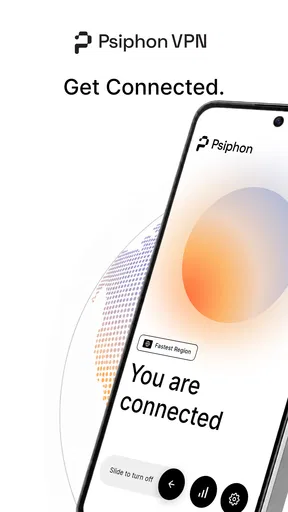
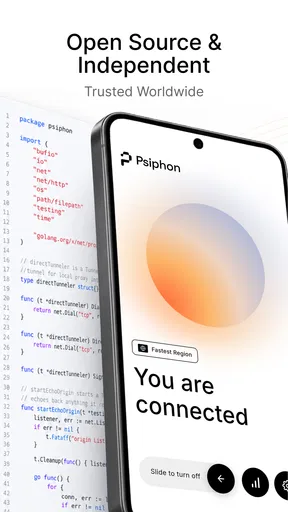
What I loved right off the bat was the simplicity. The interface is clean, and everything is laid out in a way that even a tech newbie can understand. There's a big, friendly "Connect" button that's hard to miss. Tap that, and you're on your way to surfing the web with a cloak of invisibility.
Features That Stand Out
One of the standout features for me was the ability to bypass those pesky internet restrictions. Whether you're trying to access a blocked site at work or sneak a peek at region-restricted content, Psiphon VPN has got your back. It uses a combination of VPN, SSH, and HTTP Proxy technology to keep your browsing private and unrestricted.
Another thing worth mentioning is the speed. Let's be real, nobody wants a VPN that turns your internet into a snail-paced nightmare. Fortunately, Psiphon VPN keeps things zippy. I streamed videos, browsed social media, and even did some online gaming without any noticeable lag. It's like they sprinkled some magic internet dust on it.
Security and Privacy
Now, onto the meat and potatoes of any VPN: security. Psiphon VPN does a great job at keeping your data safe. It encrypts your internet traffic, making it hard for prying eyes to see what you're up to. This is especially handy if you're using public Wi-Fi, which is a hacker's playground.
While it doesn't offer the same level of encryption as some of the big-name VPNs, it's still a solid choice for casual users who need a bit of online privacy. Plus, they have a no-logs policy, which means they're not keeping tabs on your internet activities. That's a big plus in my book.
Free vs. Paid Versions
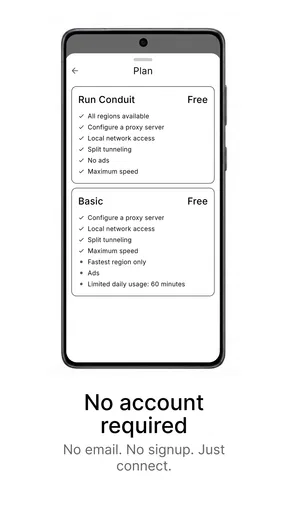
Here's the kicker: Psiphon VPN offers a free version that's pretty generous. You get decent speeds and no data caps, which is rare in the world of free VPNs. Of course, if you want to unlock all the premium features, there's a paid version available. It offers faster speeds and more servers to choose from. But honestly, the free version is more than enough for most users.
If you're someone who uses VPNs for heavy streaming or downloading, the paid version might be worth considering. But for everyday browsing and occasional use, the free version is a steal.
Final Thoughts
So, what's the verdict? Psiphon VPN: Freedom Online is a solid choice for anyone looking to explore the internet without limits. It's got a user-friendly interface, impressive speed, and enough security features to keep your data safe. Whether you're a VPN veteran or a first-timer, this app is worth checking out.
Sure, it might not have all the bells and whistles of a premium VPN, but for a free app, it's pretty darn impressive. So, go ahead, give it a try. Who knows? You might just find yourself wondering how you ever lived without it.
Pros
- Easy to use interface
- No registration required
- Supports multiple platforms
- Strong encryption protocols
- Fast connection speeds
Cons
- Ads can be intrusive
- Limited free bandwidth
- May slow down internet
- Not ideal for torrenting
- Some servers are unstable
FAQs for Psiphon VPN: Freedom Online
What is Psiphon VPN and how does it work?
Psiphon VPN is a tool designed to bypass internet censorship and provide secure access to the internet. It works by using a combination of secure communication and obfuscation technologies to ensure users can access content freely. By connecting through Psiphon, users can browse the internet without restrictions, enhancing privacy and security.
Is Psiphon VPN free to use, and are there any limitations?
Yes, Psiphon VPN offers a free version with unlimited bandwidth, but it may come with ads and limited server access. For users seeking an ad-free experience and access to more server locations, a subscription to Psiphon Pro is available, offering enhanced features and performance.
How safe and secure is Psiphon VPN for online browsing?
Psiphon VPN provides a secure browsing experience by encrypting your internet connection and masking your IP address. This helps protect your data from potential hackers and surveillance. However, it's important to note that while Psiphon enhances security, it is primarily designed for bypassing censorship, not as a comprehensive security tool.
Can Psiphon VPN be used on all devices and platforms?
Psiphon VPN is available on multiple platforms, including Android, iOS, and Windows. This cross-platform compatibility ensures users can maintain a consistent and secure browsing experience across different devices. However, it's always advisable to check the latest compatibility details on the official website or app store.
Will using Psiphon VPN affect my internet speed?
Using Psiphon VPN may lead to a slight decrease in internet speed due to the encryption and rerouting of traffic through their servers. However, the impact on speed can vary based on server location and network conditions. Users often find the trade-off worthwhile for increased access and privacy.


